
Connect WarmupHero to your SmartReach account
WarmupHero is included with SmartReach.io. Your warmup slots come from your SmartReach plan, and a WarmupHero key links the two accounts.
You only do this once. It takes about a minute.
- 1
Copy your WarmupHero key in SmartReach
In SmartReach, go to Settings → Email warmup. Under WarmupHero Key, click Show, then Copy.
If there's no key yet, click Generate a new WarmupHero key. SmartReach's own guide has screenshots: Signing up for WarmupHero.
The key is shared by everyone in your SmartReach organisation. Generating a new one replaces it for all of them, so teammates already using WarmupHero would need to paste the new key. Copy the existing key if there is one. - 2
Paste it into WarmupHero
Log in to WarmupHero. On the Welcome to WarmupHero screen, paste the key into SmartReach WarmupHero key and click Connect SmartReach.
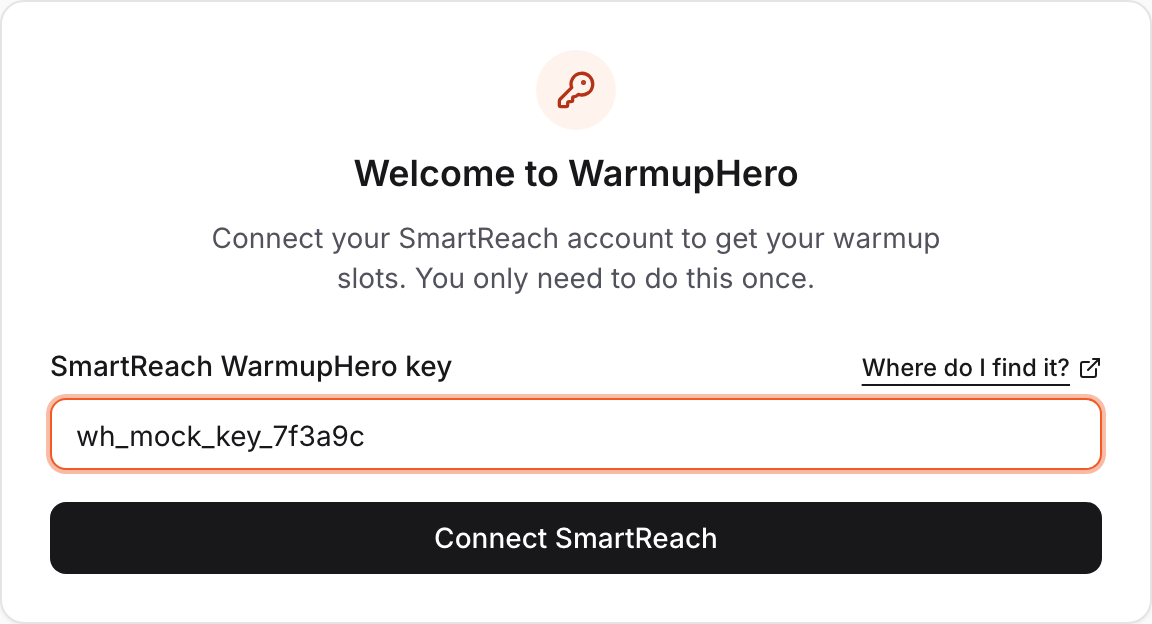
- 3
Add your first mailbox
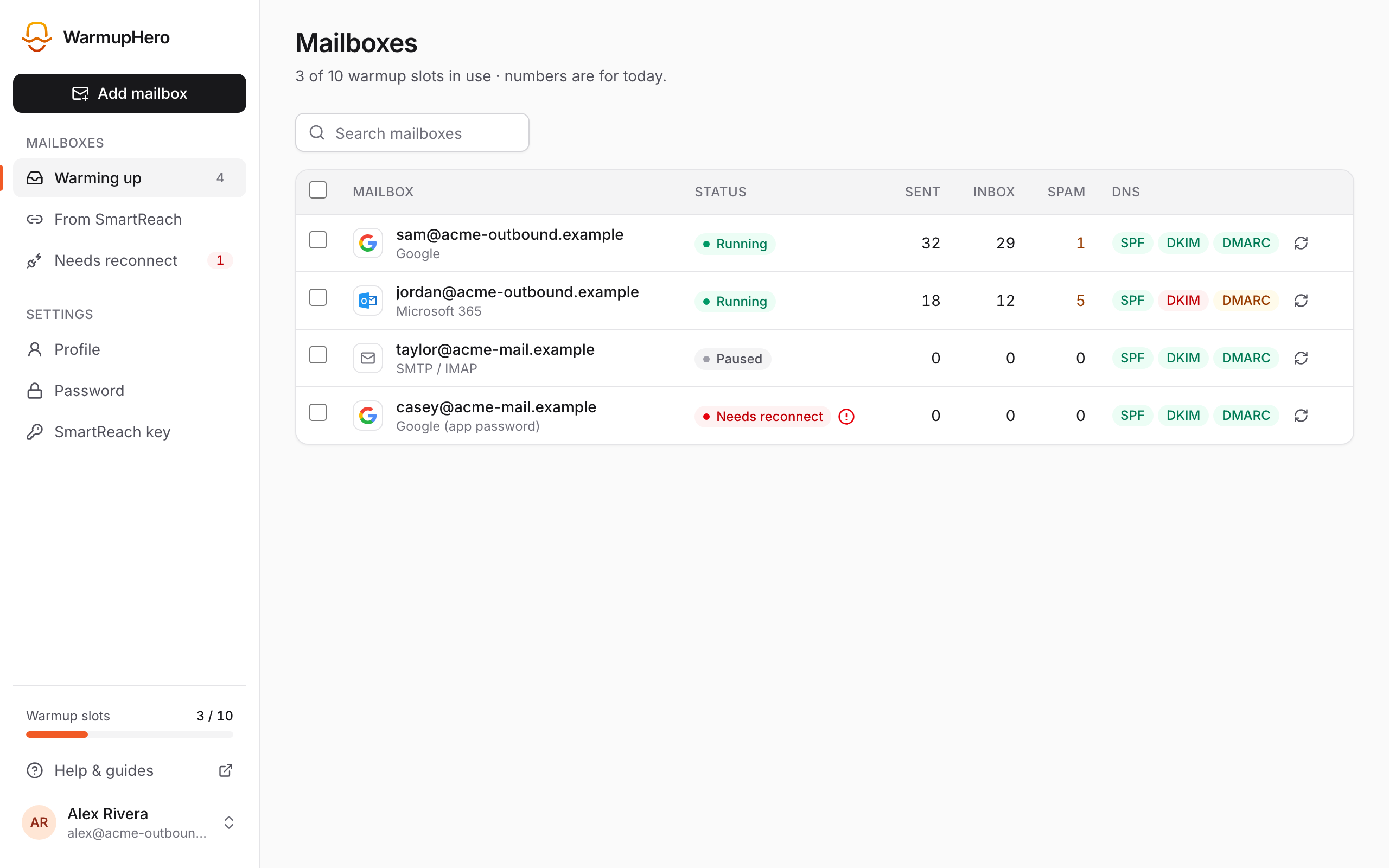
Your warmup slots now show at the bottom of the sidebar. Click Add mailbox to connect the mailbox you want to warm up.
Changing the key later
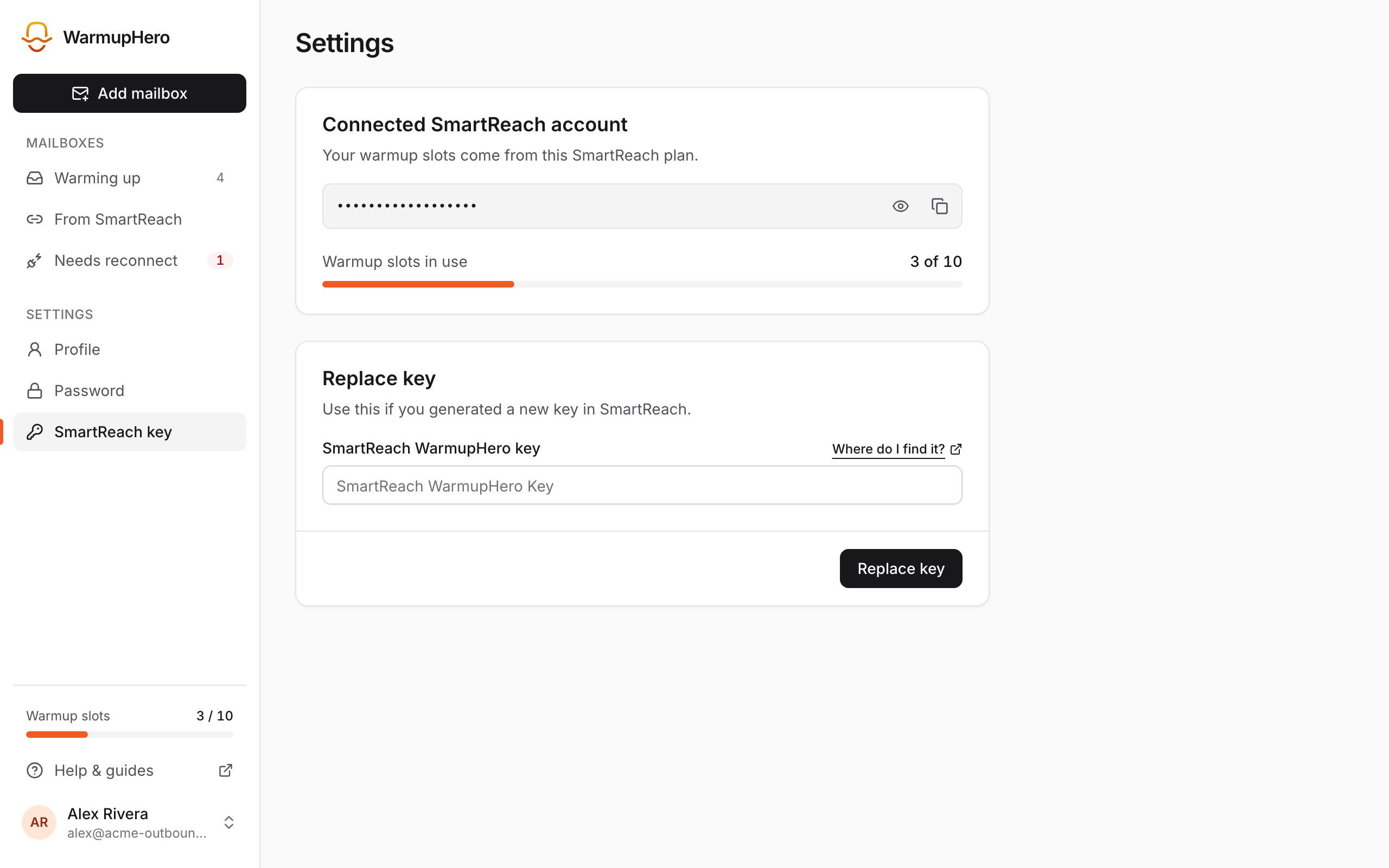
If you generated a new key in SmartReach, or WarmupHero says This SmartReach key no longer works, open Settings → SmartReach key in WarmupHero and paste the new key there.
Related guides
Still stuck? Email support@warmuphero.com and tell us which mailbox you're connecting.