
Connect a GoDaddy mailbox
For GoDaddy Professional Email and Workspace Email. You only need the email address and its password; WarmupHero fills in GoDaddy's mail servers for you.
Bought Microsoft 365 from GoDaddy? That mailbox is a Microsoft 365 mailbox: connect it with Microsoft 365 instead.
- 1
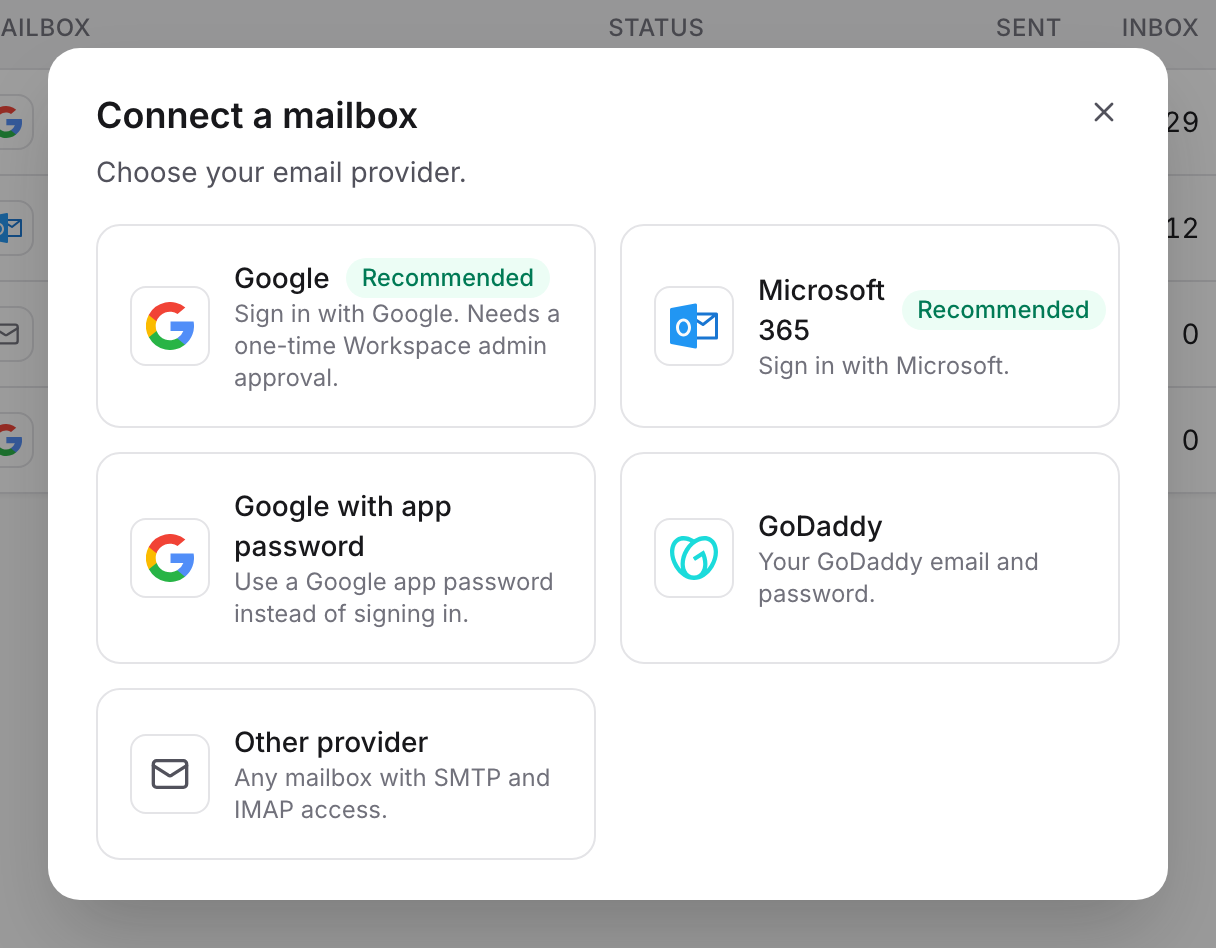
Choose GoDaddy
In WarmupHero, click Add mailbox and choose GoDaddy.
- 2
Enter the mailbox details
Fill in the sender's first and last name, the email address and its password, then click Connect and start warmup. WarmupHero tests the connection before saving it.
The servers used are
smtpout.secureserver.netfor sending andimap.secureserver.netfor receiving.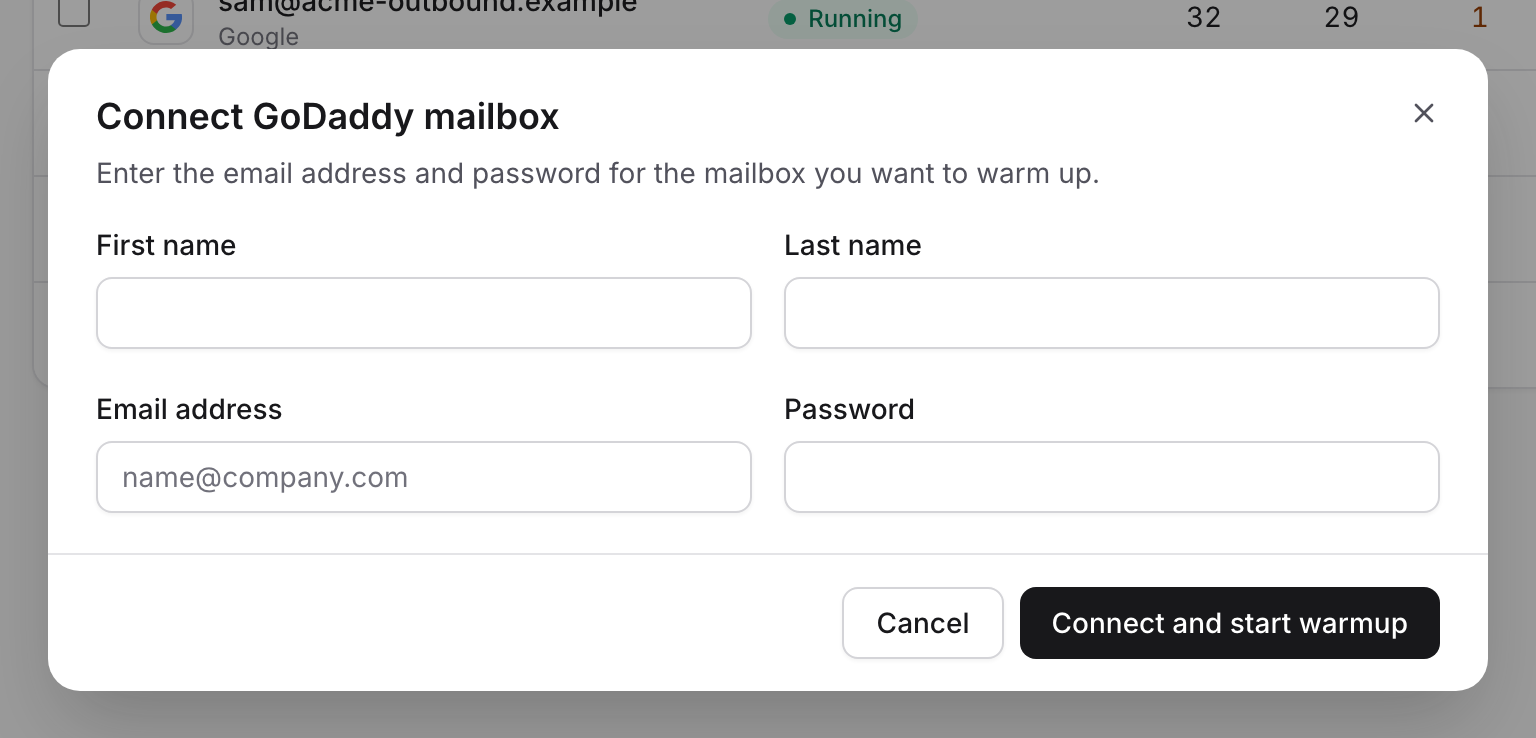
Still stuck? Email support@warmuphero.com and tell us which mailbox you're connecting.