
Connect Google with an app password
Use this if your Google mailbox can't use Sign in with Google, for example because your Workspace admin hasn't approved WarmupHero.
An app password is a separate 16-character password that only WarmupHero uses. Your normal password stays private, and you can revoke the app password at any time.
- 1
Create an app password in your Google account
App passwords need 2-Step Verification to be on for the account. Then open myaccount.google.com/apppasswords, name it WarmupHero and copy the password Google shows.
Google's help: Sign in with app passwords.
If the page says the setting isn't available, your Workspace admin has turned app passwords off. Ask them to approve WarmupHero so you can use Sign in with Google instead. - 2
Choose Google with app password
In WarmupHero, click Add mailbox and choose Google with app password.
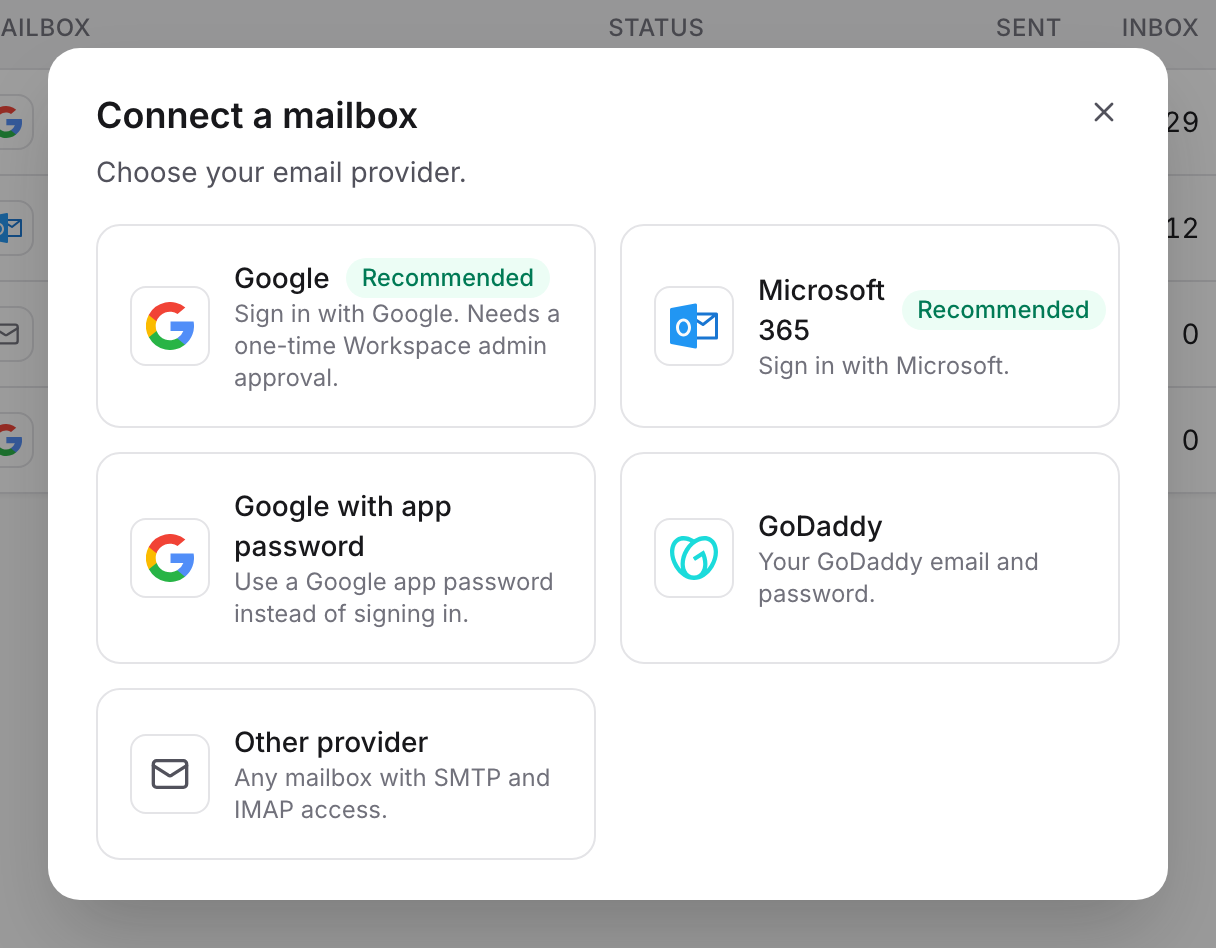
- 3
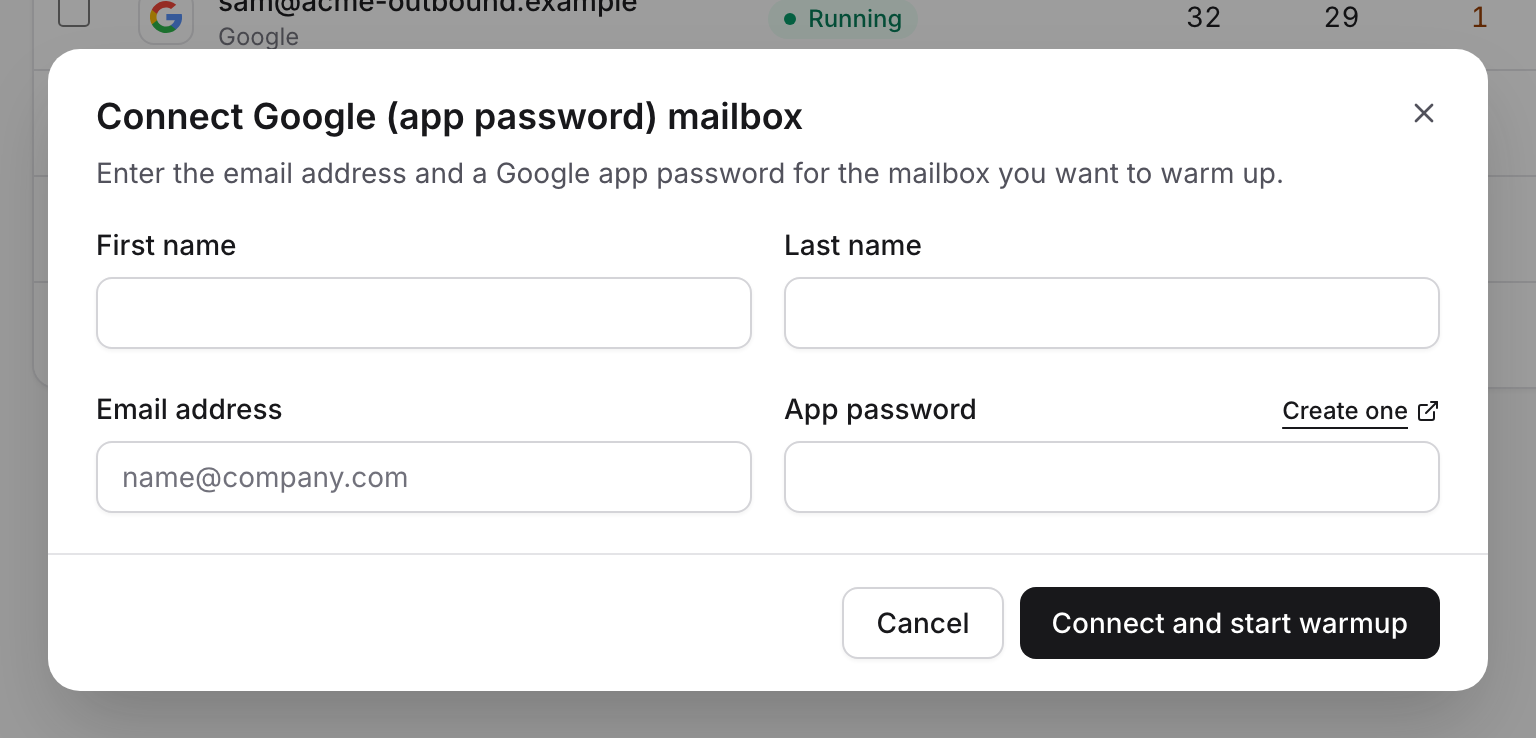
Enter the mailbox details
Fill in the sender's first and last name, the email address and the app password, then click Connect and start warmup. WarmupHero tests the connection before saving it.
Still stuck? Email support@warmuphero.com and tell us which mailbox you're connecting.