
Keep warmup emails out of your inbox
While a mailbox warms up, it receives warmup emails from other WarmupHero mailboxes. Every one has wrmpbx in its subject line, so a filter can move them out of your inbox.
This is optional: warmup works either way.
- 1
Gmail and Google Workspace
- In Gmail, type
subject:wrmpbxin the search box and click the filter icon at its right. - Click Create filter.
- Tick Skip the Inbox (Archive it), Never send it to Spam and Always mark it as important. Optionally tick Apply the label and create a label such as Warmup.
- Click Create filter.
Google's help: Create rules to filter your emails.
- In Gmail, type
- 2
Outlook and Microsoft 365
- In Outlook on the web, open Settings → Mail → Rules and click Add new rule.
- Name it Warmup. Add the condition Subject includes
wrmpbx. - Add the action Move to and pick a folder, for example a new folder called Warmup.
- Click Save.
Microsoft's help: Manage email with rules in Outlook.
- 3
Mark it done in WarmupHero
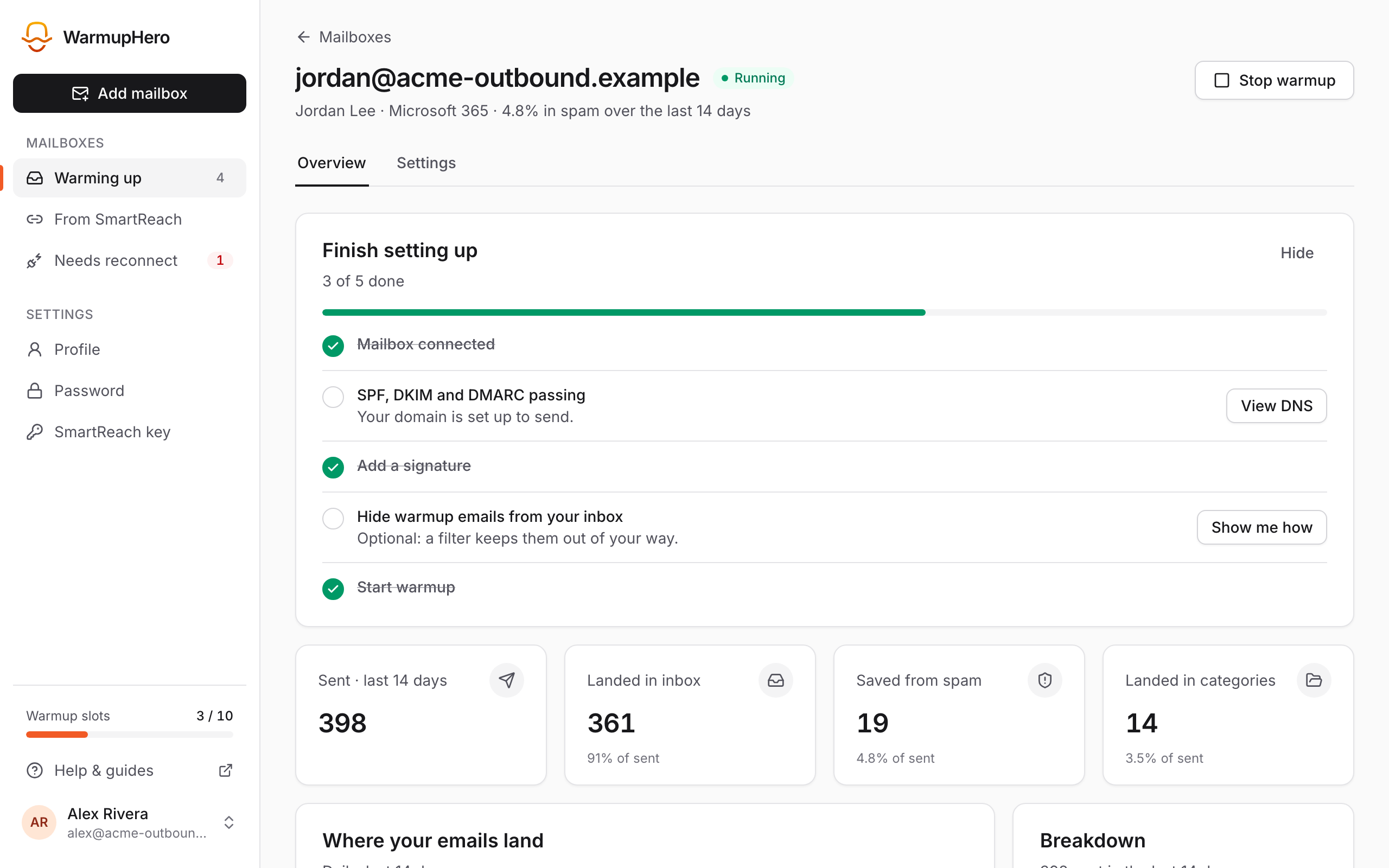
On the mailbox's Overview, the Finish setting up checklist has a step for this filter. Click Show me how and close the guide with Done to tick it off.
Don't delete warmup emails or mark them as spam. Moving them to a folder or label is fine.
Related guides
Still stuck? Email support@warmuphero.com and tell us which mailbox you're connecting.