
Connect any other mailbox (SMTP / IMAP)
Any mailbox that offers SMTP (sending) and IMAP (receiving) can be warmed up: Zoho, Yahoo, Fastmail, your hosting company's email or your own mail server. Your provider's help pages list the server names and ports.
- 1
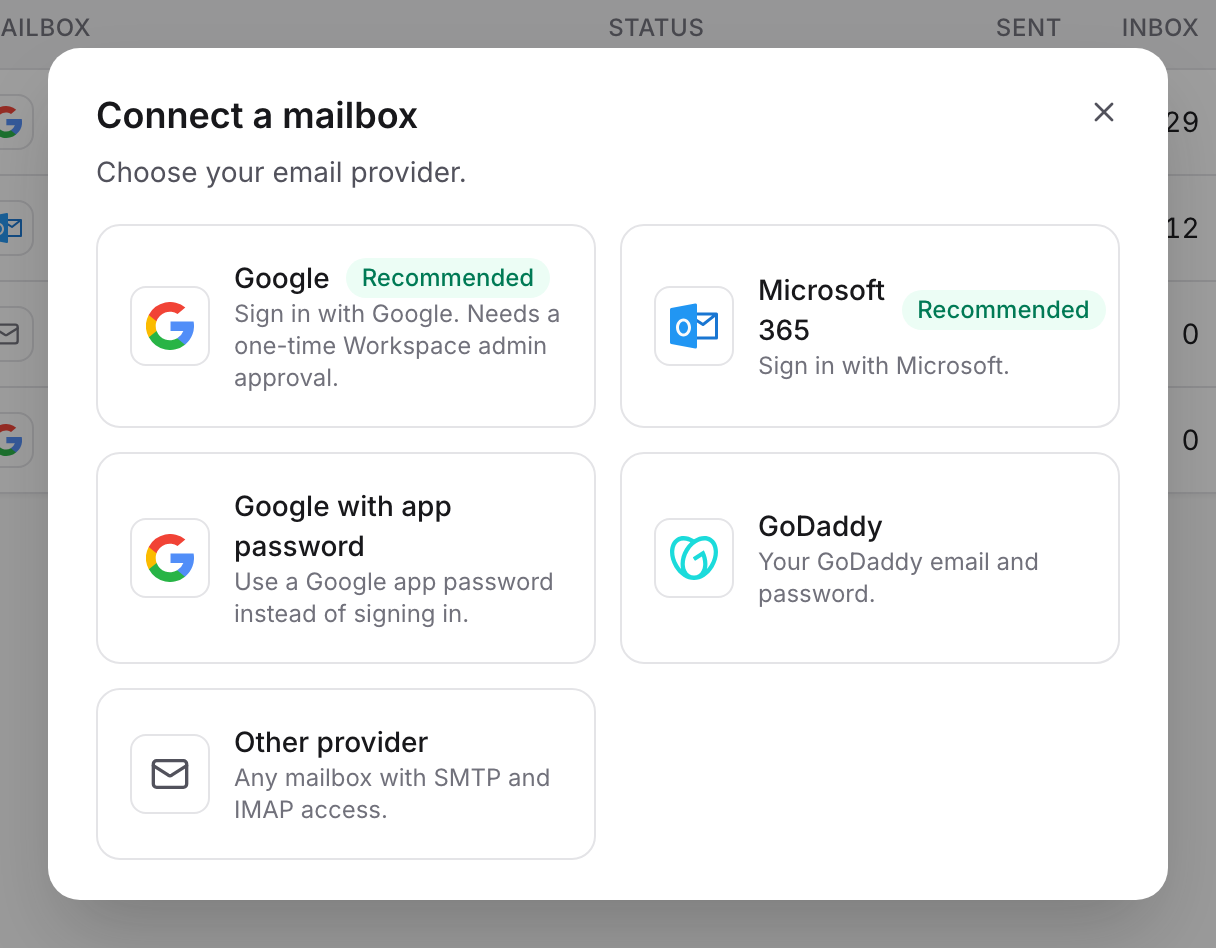
Choose Other provider
In WarmupHero, click Add mailbox and choose Other provider.
- 2
Enter the mailbox and server details
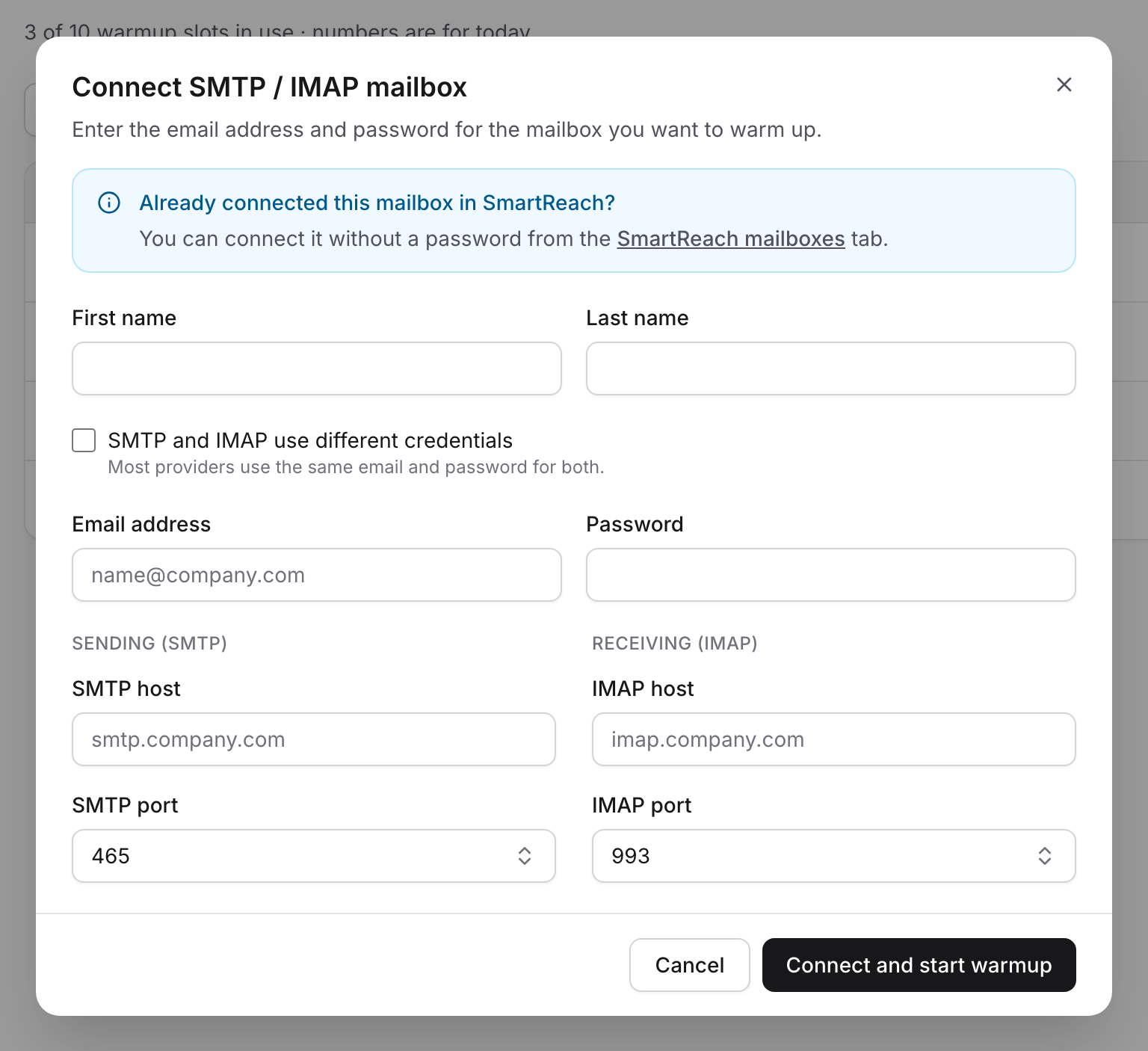
Fill in the sender's name, the email address and password, and the SMTP and IMAP host and port. Most providers use port 465 (SSL) for SMTP and 993 (SSL) for IMAP.
If your provider uses a different username or password for sending and receiving, tick SMTP and IMAP use different credentials.
Click Connect and start warmup. WarmupHero tests the connection before saving it. If the test fails, check the hosts, ports and password with your provider.
Still stuck? Email support@warmuphero.com and tell us which mailbox you're connecting.